- DATE:
- AUTHOR:
- The Thanx team
New in Dashboard: Operations Center
Your operator tools now have a dedicated home in the Thanx dashboard. The Operations Center is a new top-level tab in your Thanx dashboard that brings your essential operator tools together in one place. No more hunting across tabs.
 What is it?
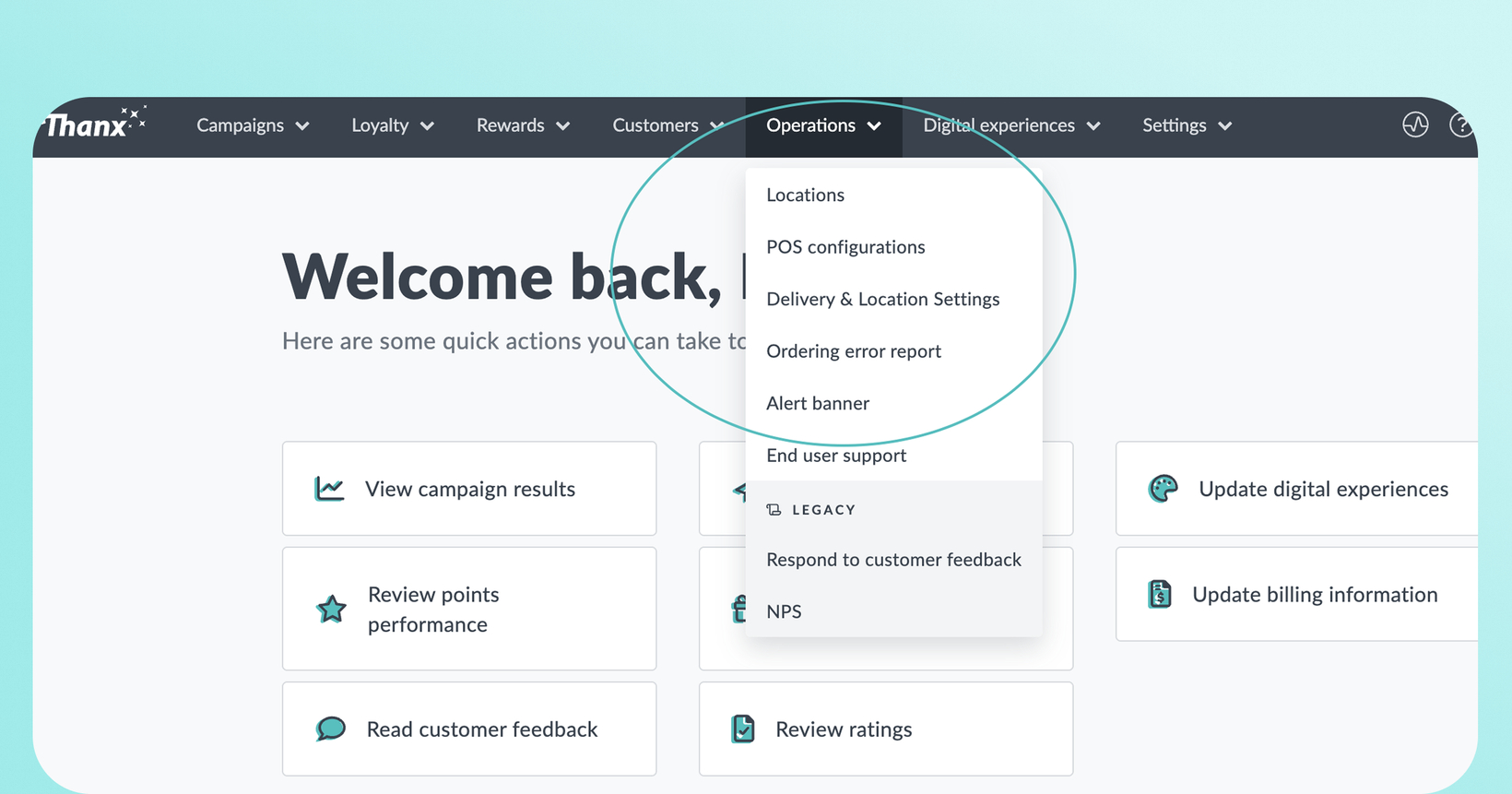
Locations, POS Configuration, Delivery & Location Settings, Ordering Error Report, Alert Banner, and End User Support Report are all now accessible from a single navigation tab in the dashboard, replacing the Feedback tab.
 Why it matters
Everything operators need, in one tab. Your key tools, including location error reports, alert banners, delivery settings, support data used to be located across Brand & Content, Digital Experiences, and your user dropdown. Now they're one click away.
Less time navigating, more time operating. Get to the Ordering Error Report, pull a support report, or update an alert banner without backtracking through unrelated sections.
Built around how operators work. This is Thanx's first dedicated home for restaurant operators. A single destination that will grow as we add more operator-focused capabilities over time.
Consolidated settings, cleaner workflow. Delivery Default, Location Selection preferences, and Ordering Configuration are now combined into a single Delivery & Location Settings page with three clear sections.
 How it works
Look for Operations in your dashboard's top-level navigation. It replaces the Feedback tab. Inside, you'll find:
Locations — Previously tucked in the user dropdown, Locations is now accessible directly from the navigation menu. View locations enabled. For Toast merchants only, see also ordering status for locations, upcoming schedule overrides, enabled menus and the ability to disable ordering at locations.
POS Configurations — For Toast merchants only (Previously under Digital Experiences). See menu errors and notices in this view. Menu errors are grouped by menu, not by location.
Delivery & Location Settings — A single page combining your Delivery Default, Location Selection, and Ordering Configuration (read-only reference) settings.
Ordering Error Report — Review unaccepted carts and ordering errors across your locations (Previously under Digital Experiences).
Alert Banner — Manage banner visibility, text, button URL, and dismiss settings (Visual styling remains in Brand & Content).
End User Support Report — Previously tucked in the user dropdown; now accessible directly from the nav.
Legacy > Feedback/NPS — Your Feedback tools are still accessible under a Legacy section inside the Operations Center.
Note: Access is location-scoped with view-vs-edit permissions, so any location specific users will only see their assigned locations.
 FAQs
FAQs
Where did the Feedback tab go?
It's been replaced by Operations in the dashboard. Your Feedback/NPS tools are still accessible at the moment. Look under the Legacy section inside the new tab. However keep in mind, we will be sunsetting Net Promoter Score soon for RecoveryAI, the newest addition to the ThanxAI product family, expected to launch in July. NPS ratings will be replaced with RecoveryAI feedback and response summaries — a meaningful upgrade in both depth and utility. That said, we want to work with you to make the transition as smooth as possible. Please reach out to your Thanx Customer Success team to discuss further.