- DATE:
- AUTHOR:
- The Thanx team
Links
Marketing suppression list for users with deleted accounts
As the owner of your customer data, it's your responsibility to ensure deletion requests are honored across your CRM, email platforms, and any other tools that store customer information. The Email Suppression List is designed to help: it automatically prevents deleted contacts from being re-added in Thanx, and gives you the visibility you need to clean up your other systems.
 What is it?
The Email Suppression List automatically prevents deleted contacts from being re-added to your database. When a customer requests account deletion, their email is recorded on your merchant-specific suppression list — so if that email appears in a future import, it will be automatically excluded. This feature is automatically enabled for all merchants; no setup is required.
 Why it matters
Privacy regulations like GDPR, CCPA, and CAN-SPAM require that deletion requests be honored — not just in Thanx, but across every system where customer data lives. Without this protection, a merchant could accidentally re-add a deleted customer during a routine contact list upload, violating their opt-out request and exposing the business to compliance risk.
The Email Suppression List removes that risk within Thanx automatically. It also gives you the visibility you need to clean up your external systems — so you can meet your obligations everywhere customer data is stored.
 How it works
When a customer's account is deleted:
Thanx automatically records their email on your suppression list
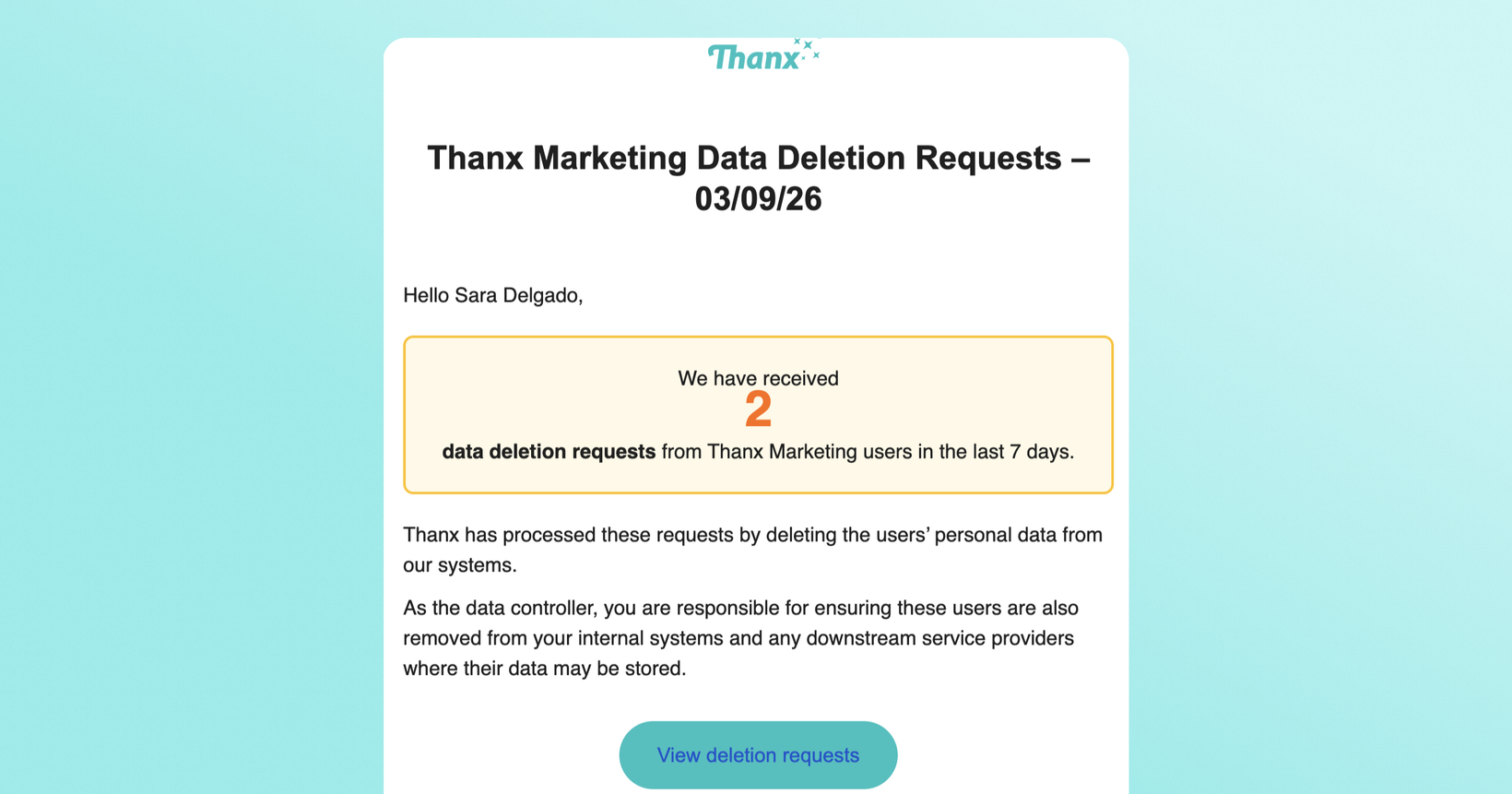
Your designated CCPA opt-out email contact receives a weekly email notification with a link to the dashboard (only sent when new suppressions have occurred in the last 7 days). Suppression notification emails are sent to the email address configured on the Terms and Policies page (under Settings) in dashboard. Brands with an existing compliance email in their privacy docs are backfilled automatically. You can update this email at any time from the Terms and Policies page.
The suppressed contact is visible on your dashboard for a rolling 30-day window
After 30 days, the readable email is permanently removed for privacy protection — the suppression itself remains active indefinitely
When you upload a contact list:
Each email in the import is automatically checked against your suppression list
Any matches are silently excluded — no user record is created
You receive an import summary indicating how many contacts were skipped to comply with privacy and marketing regulations
Re-consent:
A suppressed contact can only rejoin your program through their own explicit action (e.g., signing up directly with their email). Re-uploading their email in a contact list does not override the suppression.
 Where to find it in Thanx
Weekly email notification: If any new suppressions occurred in the last 7 days, your designated CCPA opt-out email contact (configured on the Terms and Policies page (under Settings)) receives an automated email with a link to their dashboard. In the dashboard, you will be able to see all suppression records for the last 30 days. You only receive this email when there are suppressed contacts to review, so you won't get empty notifications. For security, suppressed email addresses are not included in the notification email itself. You will need to log into your dashboard to view the specific contacts.
Dashboard page: Go to Customers > Suppressions to a dedicated Suppressions dashboard. This page shows the suppressed email addresses for a rolling 30-day window. Use this to identify exactly which contacts need to be removed from your external systems.
Once you receive the email notification, export the suppressed contacts and remove them from your CRM, email platforms, and other systems within the 30-day window. After that, the contact details are permanently removed from the dashboard for privacy protection. The suppression remains active in Thanx, but you will no longer be able to see which specific email addresses were affected.
 FAQs
FAQs
Do I need to do anything to enable this?
No, this is automatically enabled for all merchants. This feature applies to deletions going forward from launch. Contacts who were deleted before this feature launched are not retroactively included in the suppression list.
What if the same customer has a valid relationship with a different brand I run?
Suppression is per-merchant. A user who deleted their account with Brand A is only suppressed for Brand A's imports. Brand B can still import that email if the customer has a valid relationship there.
Can a suppressed customer rejoin my program?
Yes, however through explicit re-consent only. If they sign up directly with their email, they can rejoin. Re-uploading their email via CSV will not override the suppression.
What happens after the 30-day visibility window?
The readable email address is permanently cleansed. However an anonymized record of the email is stored, so you can’t see the guests’ email, but the record allows us to know if they get uploaded again.
Does blocking or deactivating a user from my dashboard add them to the suppression list?
No. Blocking or deactivating a user from your merchant dashboard only removes their membership — it does not trigger suppression. Suppression only occurs when a customer's full account is deleted.
Will I be notified every day even if nothing happened?
No, the email notification is only sent on weeks where you have new suppressions.
Who receives the suppression notification email?
The suppression notification email is sent to the CCPA opt-out email address configured on your Terms and Policies page (under Settings). We recommend using the same address listed in your privacy policy for data deletion requests. To configure, go to your dashboard > Terms and Policies> Settings. Brands with an existing compliance email in their privacy docs are backfilled automatically. Brands without one will see a Terms and Policies prompt to configure it.
When do I receive the suppression notification email?
Your designated CCPA opt-out email contact receives a weekly email notification, on Mondays, with a link to the dashboard (only sent when new suppressions have occurred in the last 7 days).
Are transactional emails affected?
Suppression only applies to marketing emails and contact list imports, not transactional emails.
Links