- DATE:
- AUTHOR:
- The Thanx team
Kea integration: loyalty enrollment on every phone order
The Thanx–Kea integration connects your loyalty program to Kea's Voice AI phone ordering system. Points accrue automatically as orders are processed, with no action required from your team.
 What is it?
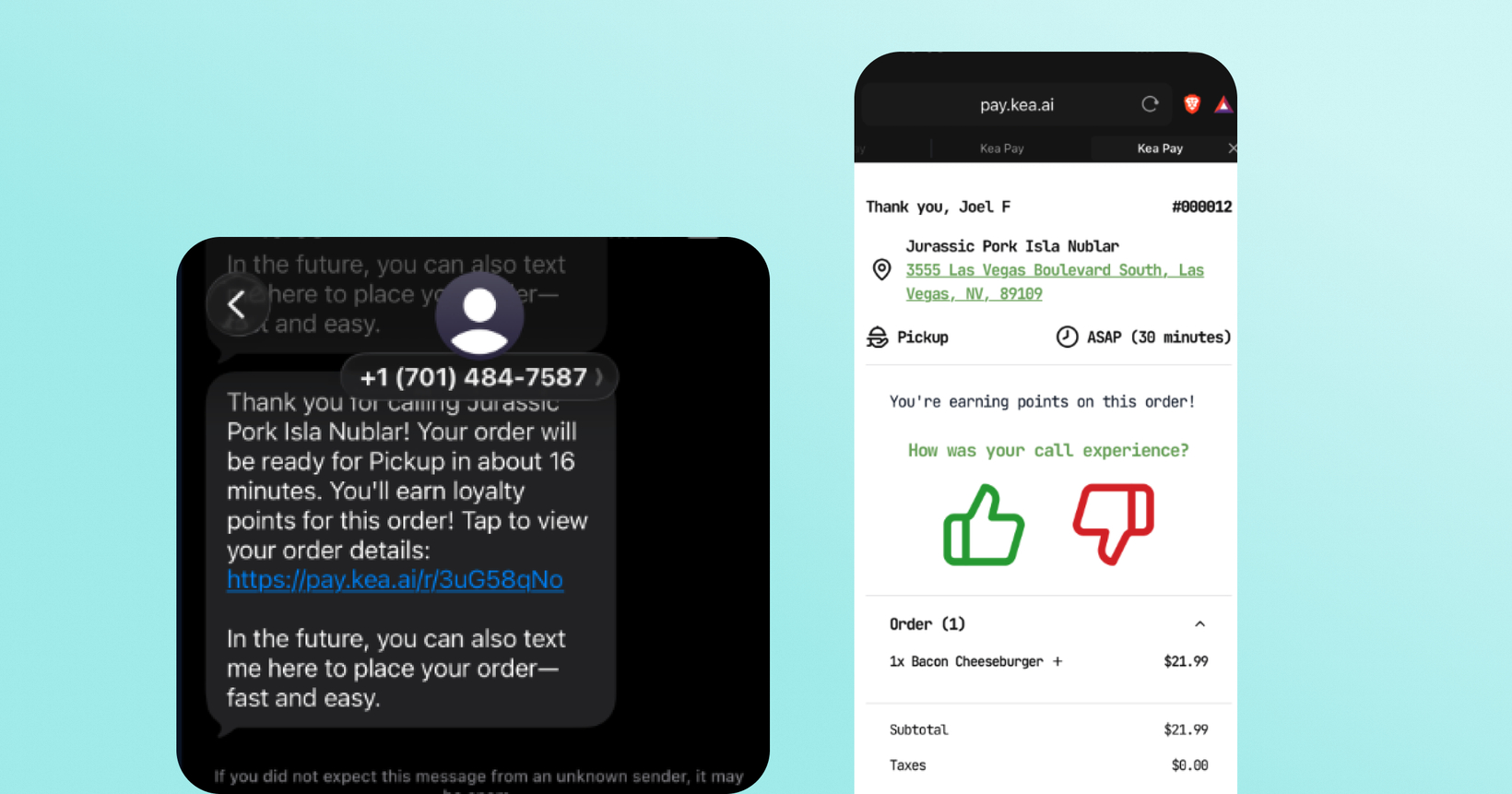
If your brand uses Kea's voice AI to take phone orders, you can now connect Kea to your Thanx loyalty program. When a customer places a phone order and opens the post-call SMS payment link, they'll see an opt-in for your loyalty program. If they're already enrolled, they'll see a points-earning confirmation instead. Points accrue automatically as the order moves through fulfillment. No staff action needed.
 Why it matters
Close the loyalty gap on your highest-intent channel — Phone orders often represent 30–40% of revenue for pizza, Asian takeout, and similar concepts. Without this integration, every one of those orders is an anonymous transaction with no enrollment, no attribution, and no lifecycle marketing.
Guests enroll without disrupting the order flow — Enrollment happens on the post-call payment link, not during the call itself. No script changes, no awkward pauses, no staff training required.
Existing members are recognized and points accrue automatically — If a caller is already enrolled at your location, Kea detects it and shows a points-earning indicator instead of an enrollment prompt. No duplicate accounts, no confusion. Points also accrue when the order is confirmed. Kea submits order events to Thanx in the background. No further action required from guests.
 How it works
Guest calls your Kea-enabled restaurant and places an order with the Voice AI.
After the call, Kea sends the guest an SMS with a payment/feedback link.
Guest opens the link — not yet enrolled → sees an email field to join your loyalty program; already enrolled → sees a "you're earning points" confirmation.
Points accrue automatically when the order is confirmed — no action needed from your team.
Note: Please take a look at the help article to see setup in your Kea Bran Portal. Before you complete setup, Thanx Partnerships must enable the integration on the Thanx side. Contact your Thanx Customer Success Manager to get started.
 Limitations
Reward redemption is not included in this release — Guests earn points on phone orders, but cannot redeem rewards over the phone yet. That's a future phase.
Magic-link emails come from Kea, not Thanx. For scenarios that require enrollment verification, the verification email is sent from Kea's mailer. The sender name, branding, and copy are owned by Kea and can be configured by your brand.
Phone number updates require guest confirmation. If a caller's phone number differs from the one on file in Thanx, the integration always prompts the guest to confirm before updating. Phone numbers are never overwritten silently.
 FAQs
FAQs
Does the guest have to do anything during the call to earn points?
No. Points accrue based on the order. Guests don't need to identify themselves during the call. They just need to open the post-call SMS and opt in (or already be enrolled) for points to attach.
What if the guest is already enrolled in our loyalty program?
They'll see a "you're earning points" confirmation on the payment link instead of an enrollment prompt. Points accrue automatically.
What if a guest uses an email connected to an existing Thanx account?
Kea sends a verification email to confirm they own that address. If their phone number doesn't match the one on the existing account, Kea will ask for explicit confirmation before updating it.
Can guests redeem rewards on phone orders?
Not yet. This release covers enrollment and points accrual. Reward redemption at the call is on the roadmap for a future phase.
Is this available for all of my locations?
Once the integration is enabled and you complete location mapping in the Kea Brand Portal, it applies to all mapped locations. Locations that aren't mapped won't have loyalty active.
How do I enable this integration?
In order to enable this integration, reach out to your Thanx Customer Success Manager. You’ll sign a Merchant Data Waiver Agreement, and then your Thanx account team will provide access credentials to add into your Kea Brand Portal.