- DATE:
- AUTHOR:
- The Thanx team
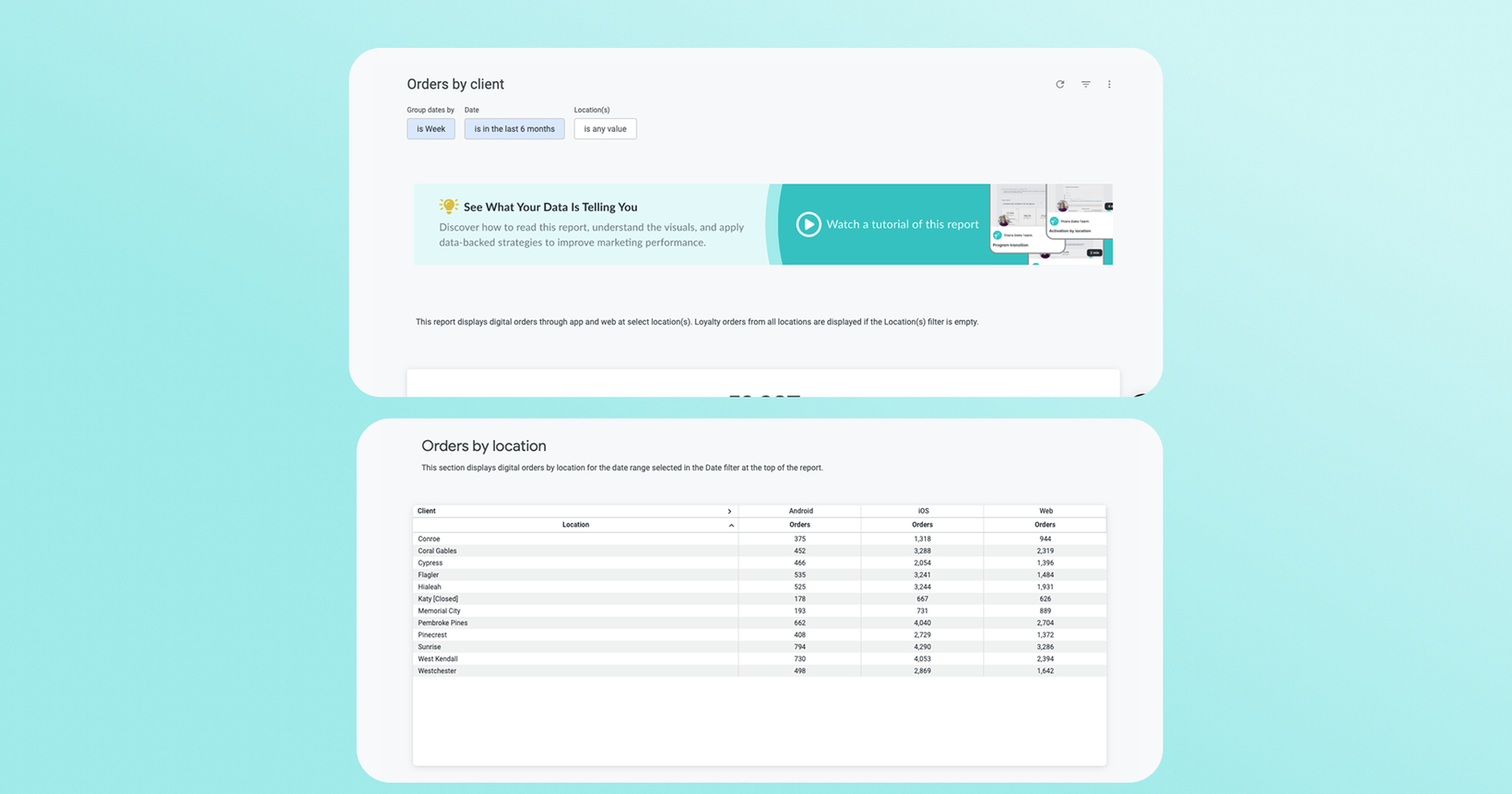
Digital order reports: new date grouping and location filtering
You can now break down your digital ordering data by time period and location, giving you a clearer picture of performance without exporting to a spreadsheet.
 What is it?
Two reports in your Insights Lab Digital Orders folder, Orders by client and Orders by handoff mode, have been updated with two new filters. A "Group dates by" control lets you view ordering data by day, week, month, quarter, or year. A location table at the bottom of each report shows order history broken down by individual location.
 Why it matters
Spot trends at the right zoom level. Toggle between daily and monthly views to see whether a dip is noise or a pattern, without rebuilding your own pivot table.
Compare locations side by side. The new location table shows which locations are driving digital volume, so you can identify outliers and share what's working.
One report, more questions answered. Previously you'd need to export and slice the data manually. Now the filtering is built in and available directly in the Dashboard.
Works across both order views. Whether you're analyzing orders by channel (client) or by pickup/delivery mode (handoff), both reports now have the same flexible date grouping.
 How it works
Orders by client
Go to the Insights Lab in your Dashboard and open the Digital orders folder.
Select the Orders by client report.
Use the Group dates by filter to choose your time granularity: day, week, month, quarter, or year.
Scroll to the bottom of the report to view the location table.
Orders by handoff mode
In the same Digital orders folder, open Orders by handoff mode.
Use the Group dates by filter to choose your time granularity: day, week, month, quarter, or year.
Scroll to the location table for location-level breakdown.
Note: Brands can now view orders, purchases, revenue, and unique active customers by channel and by location with this dynamic date grouping in the Insights Lab.
 FAQs
FAQs
Which reports have been updated?
Orders by client and Orders by handoff mode, both in the Digital orders folder in your Insights Lab.
Does the location table show all my locations?
Yes, the location table at the bottom of each report shows order history across all your locations for the selected time period.
Do I need to do anything to access these updates?
No. The updates are live in your Dashboard now. Open either report in the Insights Lab and the new filters will be available.