- DATE:
- AUTHOR:
- The Thanx team
Links
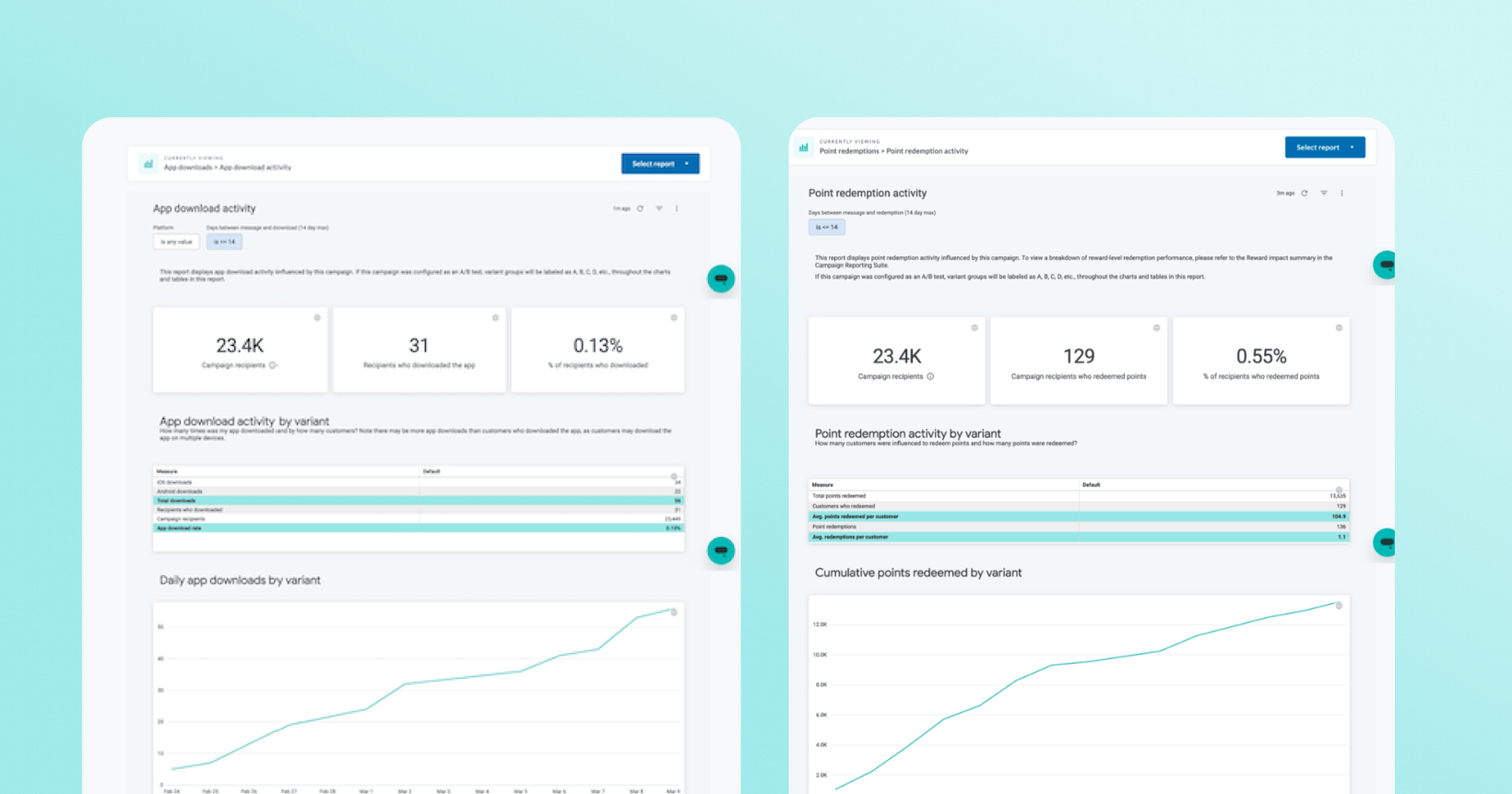
New Campaign Reporting: App Download Activity & Point Redemption Activity
Understand exactly how your campaigns drive app downloads and point redemptions. These two new reports give you a deeper view of campaign-attributed customer behavior.
 What is it?
Two new performance reports are now available directly within your campaign reporting:
App Download Activity: tracks app download and installation activity attributed to a specific campaign within a 14-day window after message delivery, broken out by platform (iOS vs. Android) and time-to-download.
Point Redemption Activity: tracks point redemption activity attributed to a specific campaign within a 14-day window, including which rewards were redeemed, how long it took customers to redeem, and which campaign variants drove the most activity.
 Why it matters
Campaign performance is more than opens and clicks. These reports help you answer important questions around guest behavior and direct campaign influence, like did my campaign get customers to download the app? or did it prompt them to use their points? With 14-day attribution windows and day-by-day breakdowns, you can see not just whether customers took action, but how quickly and on which platforms or with which rewards.
 How it works
App Download Activity
Summary metrics: campaign recipients, total app downloads, and unique users who downloaded
Bar graph of downloads by day + platform breakdown table (iOS vs. Android)
Histogram showing % of downloads by day within the 14-day window
Average and median days between campaign receipt and app download
Point Redemption Activity
Summary metrics: campaign reach, customers who redeemed points, and overall redemption rate
Daily redemption chart segmented by campaign variant (when applicable)
Time-to-redeem distribution and avg/median summary
Breakdown of points redeemed per transaction and rewards redeemed by name
 Note: Date-filterable visuals can be scoped within the 14-day attribution window. Distribution and avg/median metrics reflect the full 14-day window and are not filterable by date.
 Where to find it in Thanx
Navigate to any campaign's reporting page and look for the App Download Activity and Point Redemption Activity reports.
 Keep in Mind
App Download Activity
Total app downloads differ from users who downloaded the app. A single user can register multiple devices (i.e. iPhone + iPad, or after a device upgrade). ****Download count = total device registrations; users who downloaded = unique individuals.
Only downloads for the same merchant that sent the campaign are counted, and only for users who actually received the message.
Point Redemption Activity
Attribution uses proximity logic (activity within 14 days of message receipt) — not guaranteed causality. The report shows correlation, not proof the campaign caused the redemption.
"Customers who redeemed" and "redemptions" are distinct metrics. One customer may redeem points multiple times; both are tracked separately.
Links