- DATE:
- AUTHOR:
- The Thanx team
Links
Marqii Integration: Automatically invite guests to leave a review after every order
If you use Marqii for reviews and reputation management, you can now turn completed digital and in-store orders into review requests — automatically.
 What is it?
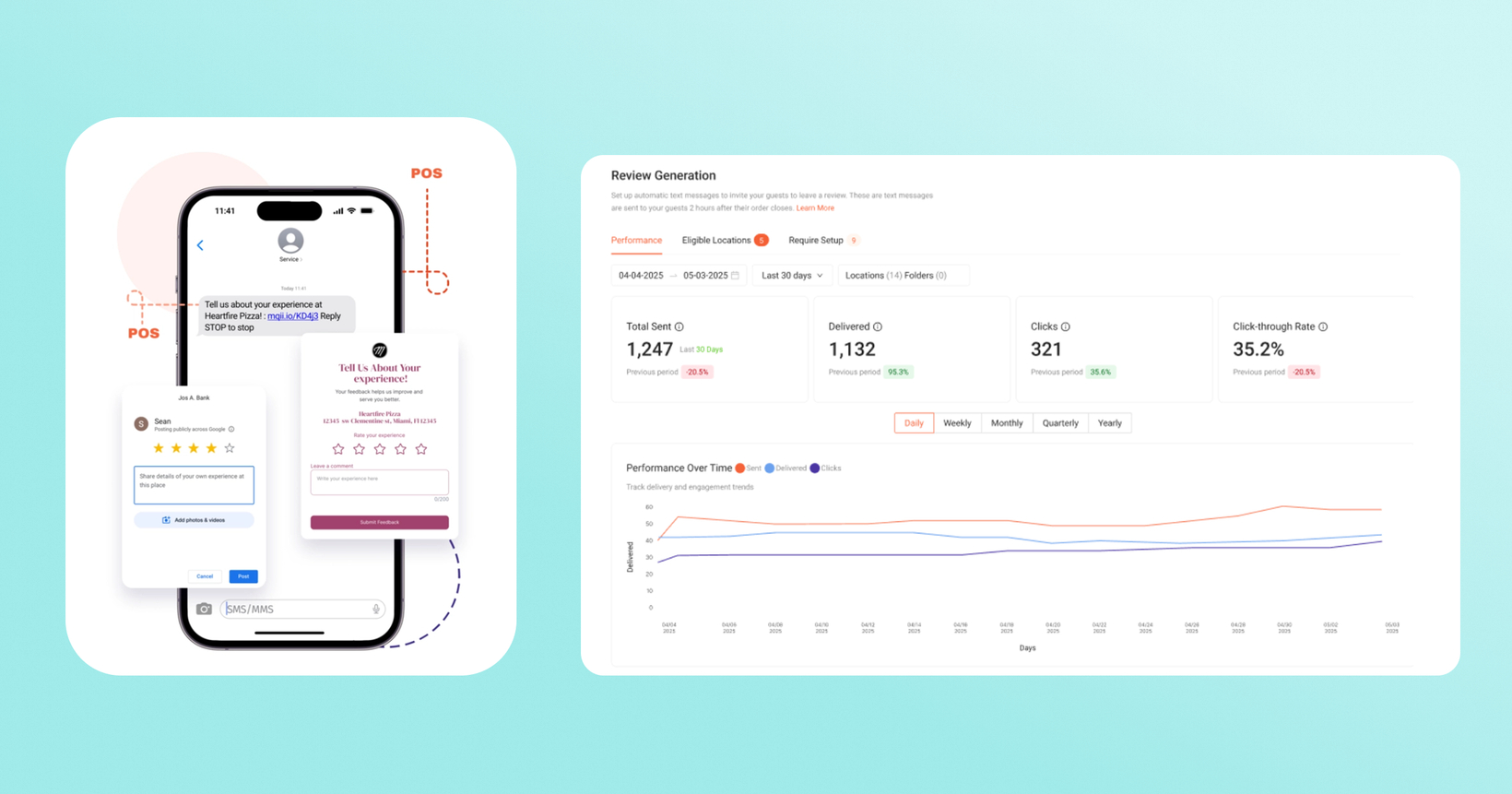
Marqii Review Generation sends an SMS to guests shortly after their order closes, inviting them to leave a public review (Google, Facebook, or TripAdvisor) — whichever destination you choose.
With our integration, when a guest completes a transaction via our direct POS integrations or online, Thanx will pass that signal to Marqii, which invites the guest by SMS to leave a public review. One guest, one invite, fully automated for brands.
 Why it matters
Turn transactions into reviews, automatically — Guests get invited to leave feedback right after their visit, digital and in-store, while the experience is still fresh, instead of relying on them to leave one unprompted. Once a location is eligible and turned on, invites go out on their own about 2 hours after each order closes.
You choose where reviews go — Send guests to Google, Facebook, TripAdvisor, or a private first-party form, set per location.
Control how often guests hear from you — Set a cooldown (once a day, week, month, or ever) so the same guest isn't pinged after every visit.
Help increase your digital marketing presence — Public reviews aren't just guest feedback anymore. They're a discovery signal. Search engines read fresh, consistent reviews as a sign a business is active and worth surfacing, and that signal now extends to AI search.
 How it works
Turning it on
On Thanx, make sure SMS opt-in is enabled. Work with your Thanx CSM to configure.
In your Marqii dashboard, go to Reviews → Review Generation.
Under Eligible Locations, toggle the feature on for each location you want to use it at.
Click Edit on a location to set its Cooldown Period and choose where reviews go (Google, Facebook, TripAdvisor, or a First Party Review form).
Managing several locations at once? Select them and use the Actions menu to update settings in bulk.
What guests see
Guests who've opted in to SMS get a text about 2 hours after their order closes, linking them to leave a review or fill out your feedback form. They can reply STOP to opt out or START to opt back in at any time. To respect guests' time, invites don't go out between 9 PM and 9 AM — anything queued in that window sends at 9 AM the next day.
Checking eligibility
Any location on Thanx + Marqii is eligible. The Requires Setup tab in Marqii shows which of your locations aren't eligible yet and what might be missing.
 FAQs
FAQs
Which locations are eligible?
Any location on Thanx + Marqii is eligible. A location needs a connected POS and a connection to Google, Facebook, or TripAdvisor — or a First Party Review form set up. Locations missing either show up under Requires Setup with what's needed to qualify.
Will every guest get a review request?
No. Invites only go to guests with a phone number who've opted in to SMS, and only within your chosen cooldown window — so a guest who visits weekly won't be prompted after every order if you've set a monthly cooldown.
Can guests opt out?
Yes — guests can reply STOP to any invite to opt out, and START to opt back in.
Can reviews go to more than one place at once?
You choose one publisher destination (Google, Facebook, TripAdvisor, or First Party Reviews) per location, so pick whichever matters most for that location today — you can change it anytime.
Do I need to set anything up on the Thanx side?
No — this is enabled by your Thanx account team working directly with Marqii. Reach out to your Thanx or Marqii contact to get started.
Links