- DATE:
- AUTHOR:
- The Thanx team
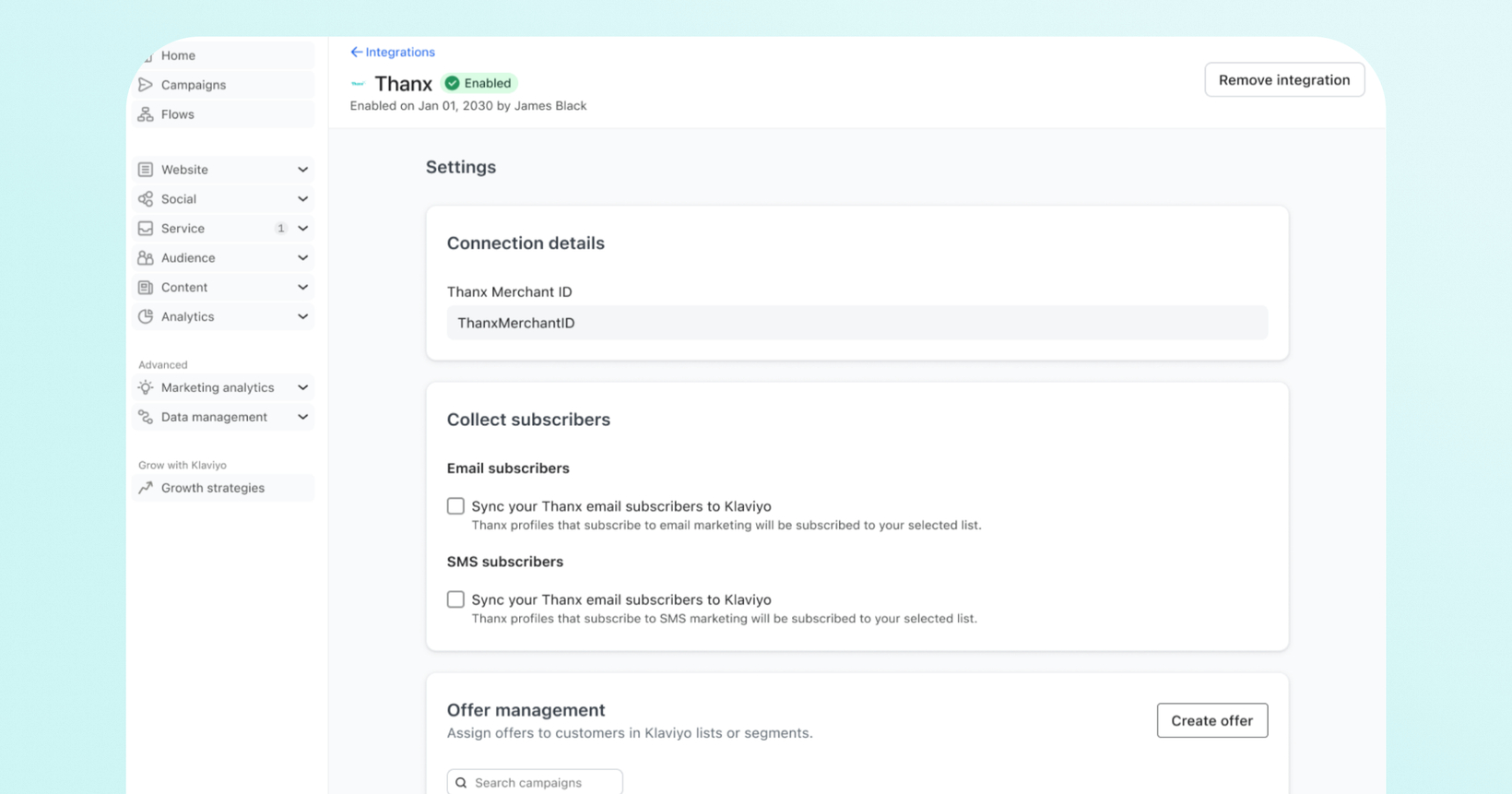
Thanx 3rd Party Offer Management: Distribute rewards without leaving Klaviyo
Thanx Offer Management is a new enhancement in our Klaviyo integration that lets you map Thanx reward templates directly to Klaviyo lists and segments. When a guest profile in a mapped list or segment qualifies, Klaviyo automatically provisions their reward and records it on their profile so you can trigger notification flows, personalize messages and track attribution, all from Klaviyo.
 What is it?
You can now manage and distribute Thanx loyalty rewards without leaving Klaviyo. Available for merchants who use both Thanx and Klaviyo for email and/or SMS marketing.
 Why it matters
No platform switching: You can now leverage Klaviyo's segmentation and automation tools to orchestrate loyalty experiences without leaving your existing workflow. Your rewards and your messaging live in the same place. That means faster campaigns, tighter personalization, and a clear line between marketing spend and guest behavior.
Your Klaviyo segments, your Thanx rewards : Map any Klaviyo list or segment to a Thanx reward. The right guests get the right offer automatically.
A/B test your offers: Create up to 4 reward variants or include a Control group that receives nothing and use Klaviyo's native tools to learn what drives behavior.
Automate the full loyalty journey: Trigger flows the moment a reward is earned and send expiration reminders using the reward's end date, all without manual work.
Rich reward data on every profile : Each issued reward creates an Earned Reward metric and a Reward object on the guest's Klaviyo profile, making it easy to segment, personalize and measure.
 How it works
Before you start: Make sure the reward templates you would like to use are set up and active in Thanx. Once that's done, you’ll create the offer and message in Klaviyo.
Step 1: Create an offer in Klaviyo
In Klaviyo, go to the Integrations tab and click your Thanx integration.
In the Offer management section, click Create offer.
Name your campaign, set a start and end date, and define your reward variants. Each variant maps to one of your Thanx reward templates. You can have up to 4.
To A/B test, add a Control variant (no reward template required). Guests in the Control group won't receive a reward, so you can measure the impact of offering one.
Step 2: Assign variants to your audience
In the Assign reward variant section, map each reward variant to one or more Klaviyo lists or segments.
Once saved, Klaviyo automatically issues rewards to profiles in those lists and segments as they qualify.
Step 3: Trigger messages around your rewards
Once a reward is issued, you have two options for follow-up messaging:
Earned Reward metric: Trigger a flow the moment a guest earns a reward. Use dynamic blocks in your email or SMS to personalize the message with their specific reward details.
Reward object: Trigger date-based flows using the reward's
ExpiringAtorCampaignEndAtproperty. Perfect for sending expiration reminders before a reward disappears.
 A few things to know
Campaigns can't be edited after creation: Set your campaign name, period and variants carefully before saving.
Up to 4 variants per offer: Plan your A/B test structure before building in Klaviyo.
Reward templates must exist in Thanx first: Confirm templates are ready before setting up an offer in Klaviyo.
If you are using Klaviyo and have not yet integrated with Thanx, reach out to your Thanx Customer Success team to enable the integration. Once this is done, you can configure offers directly within Klaviyo. No further Thanx-side setup is needed.
If you currently do not use Klaviyo and interested in learning more, reach out to your Thanx Customer Success team.
 FAQs
FAQs
What's the difference between a variant and a Control?
A variant in Klaviyo is a reward offer tied to a Thanx reward template. Guests who qualify receive that reward. A Control variant withholds a reward entirely, letting you A/B test whether offering a reward changes behavior compared to getting nothing.
Can I map the same reward variant to multiple Klaviyo lists or segments?
Yes, a single reward variant can be mapped to as many lists or segments as you want. Multiple variants can also be assigned to the same list or segment.
What happens in Klaviyo when a reward is issued?
Klaviyo records an Earned Reward metric and a Reward object on the guest's profile in Klaviyo. You can use these to trigger flows, build segments, or personalize messages with reward details like the offer name, value, and expiration date.
Can I edit a campaign after I create it?
No, campaigns cannot be edited once created. Plan your campaign name, period, and variants carefully before saving.
How do I send reward expiration reminders?
Set up a date-triggered flow in Klaviyo using the ExpiringAt or CampaignEndAt property on the Reward object. This lets you automatically remind guests before their reward expires.
Does my Thanx team need to do anything to set this up?
Yes, your Thanx team enables the Klaviyo integration on your account. Once that's done, all offer creation and management happens on your end in Klaviyo.