- DATE:
- AUTHOR:
- The Thanx team
New in SegmentAI ✨ Location and user tag pickers, cleaner UI and more
We’ve released a major round of enhancements to SegmentAI, Thanx's AI-powered segment builder. This release adds new pickers for locations and user tags, timezone awareness for the merchant user, an explicit confirmation step before segment creation, pre-filled segment names, Pro Tips during processing, and a cleaner overall UI. Plus, under-the-hood hardening for more reliable rule generation.
 What is it?
Build segments using SegmentAI with more confidence and less guesswork.
 Why it matters
Creating segments with AI should be fast and accurate. We’ve made some recent updates to enhance the user experience and remove any unnecessary steps, reduce ambiguity and give you more confidence that the segment being created matches what you are looking for. Resulting in fewer mistakes, less back-and-forth and a faster experience.
 How it works
New features
Explicit targeting confirmation — Before creating a segment, SegmentAI restates the targeting criteria and asks for confirmation. This will help significantly reduce malformed or misinterpreted segments.
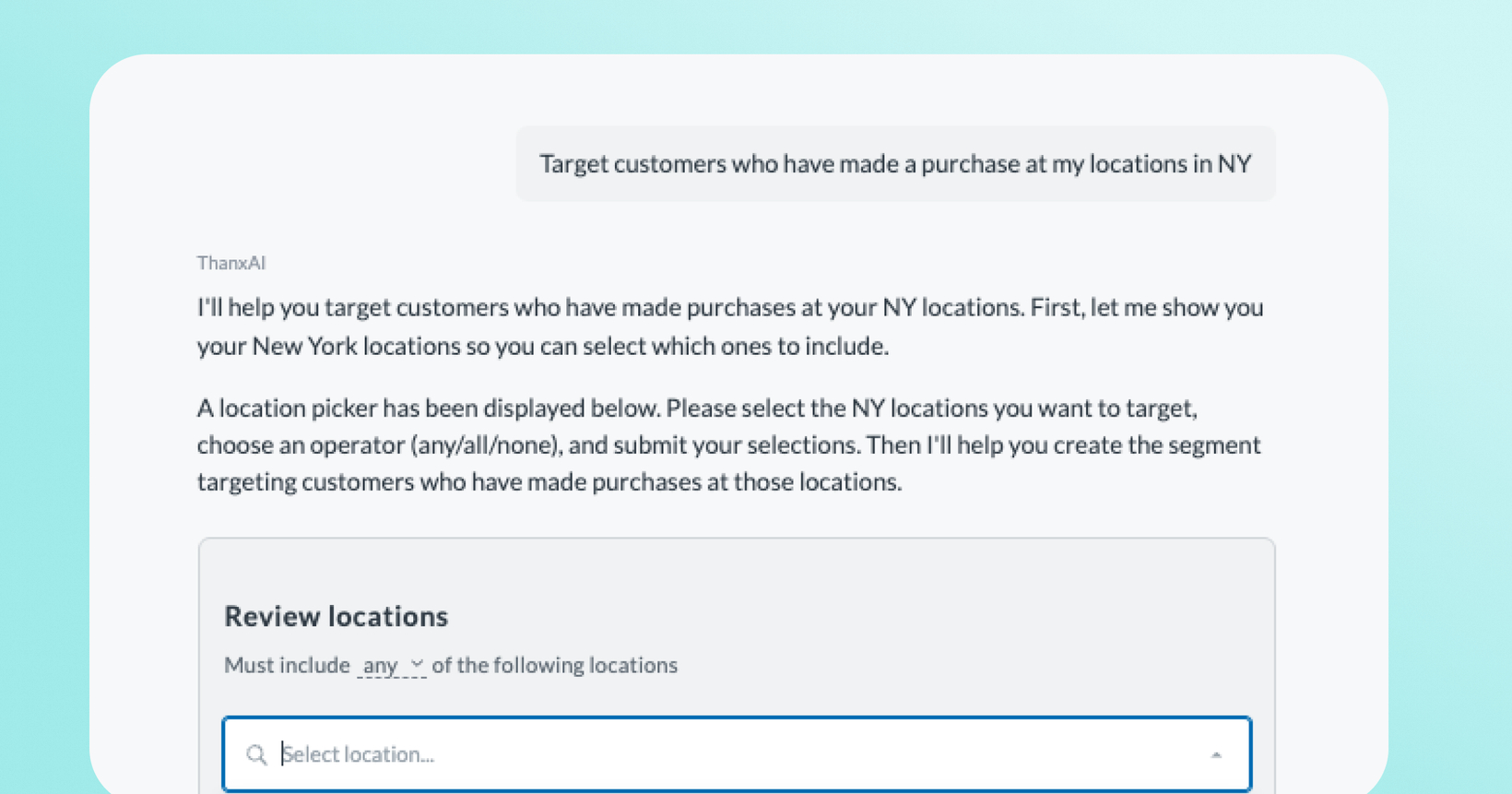
Location picker — You can now select locations directly from a picker instead of describing them in text. This removes 3 steps from the segment creation workflow.
Tag picker — Also, you can now select tag keys and values from a picker based on the tags you use to label your guests, replacing free-text entry with a more structured and accurate selection experience.
Timezone awareness for the merchant user— When creating segments with specific dates/times, SegmentAI now automatically adjusts for your local timezone so that rules behave as expected. Note: The previous default timezone was PST.
Pre-filled segment names — When saving a segment, the name field is now pre-filled based on the targeting criteria.
Pro Tips — Helpful tips and product guidance now appear while SegmentAI is processing, setting expectations during wait time and surfacing useful information.
 Where to find it in Thanx
In the dashboard, navigate to Customers > SegmentAI. All improvements are live automatically. No configuration needed.