- DATE:
- AUTHOR:
- The Thanx team
UPDATE: Insights Lab is now All reports, with Favorites built in
Pin the reports you use most so you can find them in one click. We've also renamed Insights Lab to All reports and curated a new set of Recommended reports, making it easier to browse and helping you discover ones you might be missing.
 What is it?
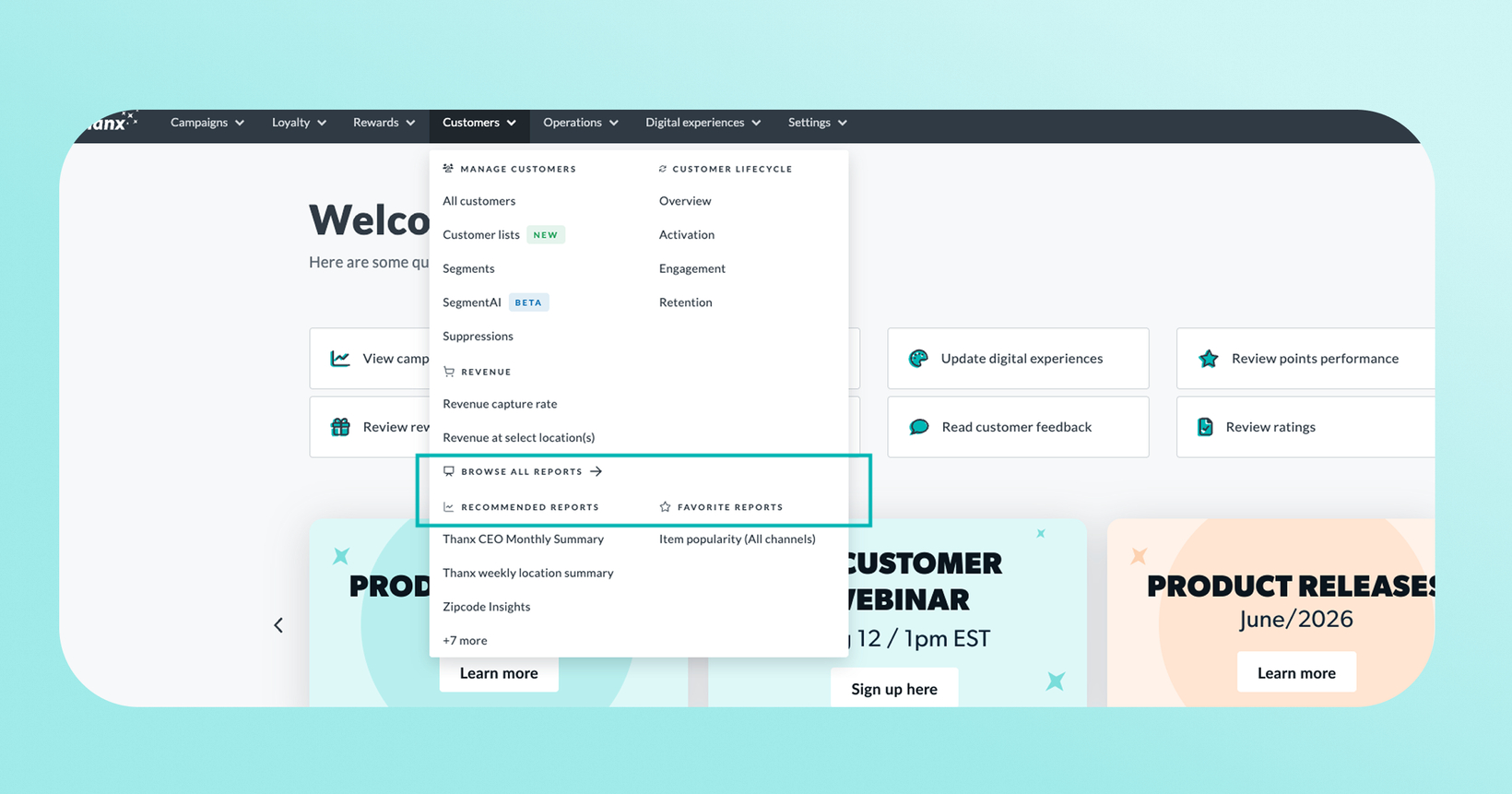
Insights Lab is now All reports, organized into three sections: Browse all reports to search your full report catalog, Favorite reports for the ones you've personally starred, and Recommended reports for a Thanx-curated shortlist of high-value reports.
Star any report once, and it's saved to your personal Favorites list. You can also give a favorite a custom name and description, which is useful for saving a specific filtered view. For example, favorite "Top 50 customers" filtered to one location and save it as "Top 50 customers – Sandy UT, last 1yr."
Reopening a favorite restores that exact filtered view instead of a blank report, so you don't have to re-set your filters every time.
Your Favorite reports can be found in the Customers section of the main navigation menu, as well as inside All reports. Favorited reports also show up when you search, so a favorite doesn’t only live in one place.
Reports open in their own tabs, and you can have several open at once, each with its own filters. Refresh the page and everything stays exactly as you left it, since your workspace lives in the URL. Bookmark that URL if you want to jump straight back to the same tabs and filters later. Note that navigating elsewhere in the dashboard and returning through the menu doesn't restore your open tabs, only refreshing or revisiting that exact URL does.
Also new in the Customers section of the main navigation menu are Recommended reports, which highlight impactful and new reports. Currently featured under Recommended reports are CEO monthly summary, Weekly location summary, Zipcode insights, Average monthly value, Redemption revenue, Activation by location, Revenue at select location(s), Active customers at select location(s), Channel preference, and Top 50 customers.
 Why it matters
Stop hunting, start clicking. Star the reports you check regularly and reopen them from one place, or find them fast through search. No more digging through menus to remember where a report lives.
Reopens exactly how you left it. Favoriting saves your filters along with a custom name you choose, so you're never starting from a blank report.
It's yours, not your team's. Favorites are tied to your own login, so your list reflects the reports you personally use. Teammates see their own.
Follows you everywhere. Favorite a report once and it's there whether you're on desktop or another device. Top 5 Recommended reports stay in the main navigation menu.
 How to favorite and unfavorite a report
To favorite:
Open any report in All reports.
Click the star icon to add it to your Favorites. Optionally give it a custom name and description, especially useful for saving a filtered view of a report.
Visit your Favorite reports section anytime to see everything you've saved, listed most recently added first, or find it through search.
To remove a favorite:
Click the star icon on the favorited report's tab, or find it in your Favorite reports list.
Confirm by clicking Remove.
Removing a favorite only deletes your saved shortcut. It doesn't affect the original report in All reports.
 Good to know
Favorites are personal to you. Only you see the reports you've starred.
If you lose access to a report you'd favorited, it's simply removed from your list.
Favoriting currently works for reports in All reports. We're expanding favoriting to more report types, like location and program reports, as they move into our newer reporting system.
There's no manual reordering yet. Your list is sorted by when you added each report, most recent first.
 FAQs
FAQs
Will I lose access to reports I already use?
No. Favorites doesn't change access to anything. It's just a faster way to get back to reports you can already see.
Do my Favorites show up for my whole team?
No. Favorites are saved per user, so each person on your team sees their own list.
Can I reorder my Favorites?
Not yet. Your list is sorted by when you added each report, most recently added first.
What happens to a favorited report if I lose access to it?
It's automatically removed from your Favorites list.
Does removing a favorite affect the original report?
No. Removing a favorite only deletes your personal shortcut to it. The original report stays exactly where it was in All reports.
Why can't I favorite every report?
A handful of reports are still being migrated into our newer reporting system. Once that's done, they'll support favoriting too. Keep in mind, Favorites and Recommended reports aren't available for Mall customers today.