- DATE:
- AUTHOR:
- The Thanx team
Manage spend minimums and discount caps in your reward templates
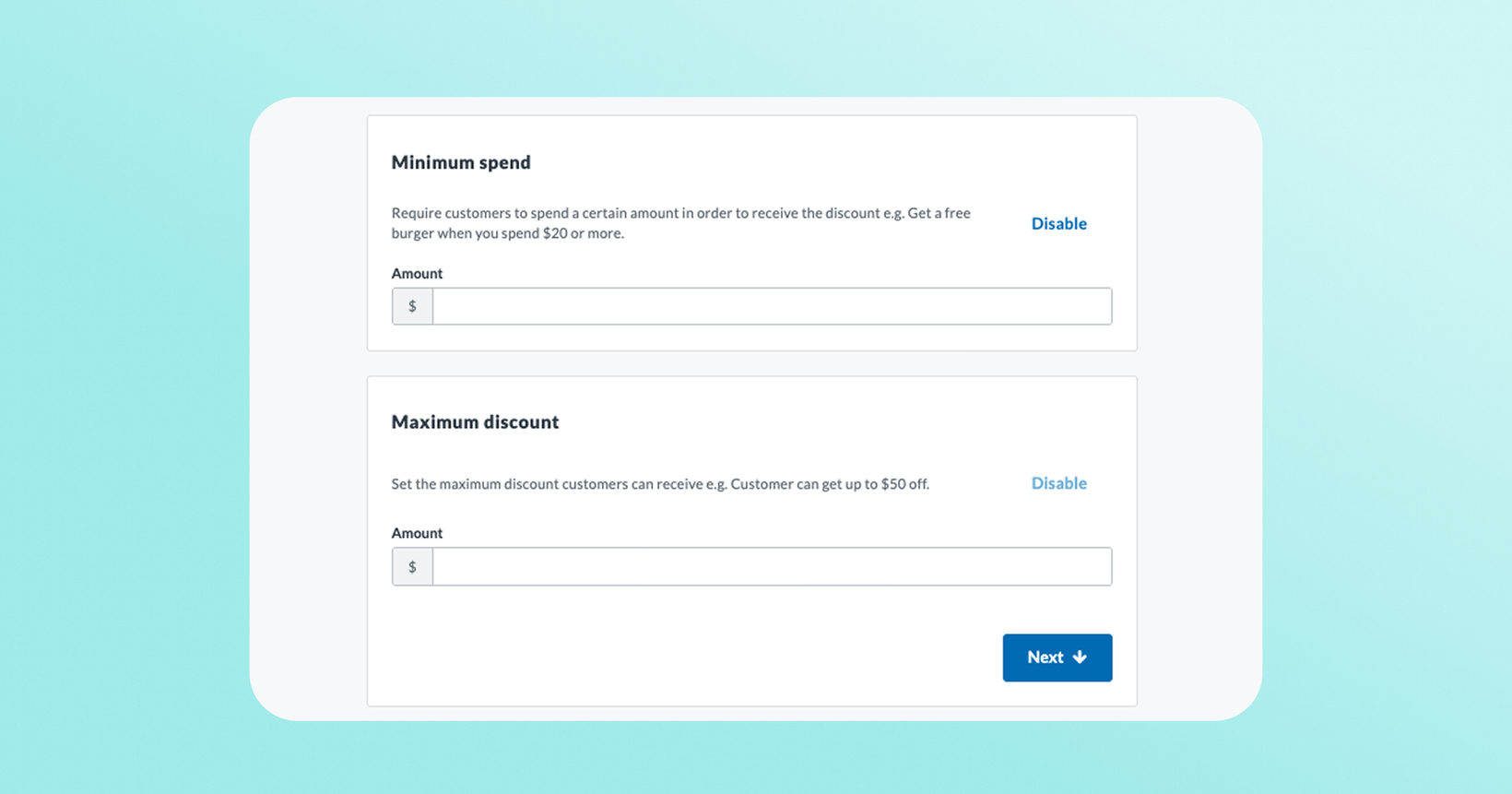
Reward templates just got smarter. You can now set reward restrictions (minimum purchase amount and a maximum discount cap) in reward templates and have them enforced everywhere the template is used.
 What is it?
Previously, minimum spend and maximum discount were reward restrictions that you could configure at the campaign level. Now you can manage both directly in the reward template. Every campaign, loyalty exchange, and granted reward built on that template inherits the same restrictions automatically, so the limits you set on an offer hold everywhere it's used.
 Why it matters
Set it once, apply it everywhere. Template-level values inherit automatically to every campaign, loyalty exchange, and granted reward built on that template.
Less to manage. No more updating the same restriction in multiple places and hoping they stay in sync.
Works with campaigns you already run. When you build or edit a campaign using a reward template with restrictions, the campaign's restriction fields pre-populate with the template's values automatically.
 How it works
Go to your reward templates in the dashboard.
Open any template.
Set Minimum Spend — the amount a customer must spend for the reward to apply.
Set Maximum Discount — the most the reward can take off an order. (This field won't appear for dollar-off rewards, since a "$5 off" reward can't discount more than $5 by definition.)
Save. From here on, every campaign, loyalty exchange, and granted reward using this template inherits these values.
 Good to know
These restrictions apply going forward, at the moment a customer tries to redeem — they don't retroactively change rewards your customers already have. If you've already set restrictions at the campaign level, those aren't automatically moved onto the template; you'll need to add them there directly.
Both fields accept whole dollar amounts only (no decimals) — so $10.50 won't work, but $10 or $11 will.
 FAQs
FAQs
What counts as "minimum purchase" on a template?
The amount a customer needs to spend before the reward can be applied. A "$5 off" reward with a $25 minimum won't apply to an order under $25.
What counts as "maximum discount"?
The most value the reward can take off an order. A "40% off" reward with a $7 maximum will discount at most $7, no matter how large the order.
I don't see a Maximum Discount field on one of my templates — why?
It's hidden for dollar-off reward types, since those already have a built-in cap (a "$5 off" reward can never discount more than $5).
Will this change rewards my customers already have?
No. These settings apply to newly issued rewards going forward — rewards already in a customer's wallet aren't retroactively changed.
Does this apply to campaigns and loyalty exchanges, or just granted rewards?
All three. Anything built on a template with these values — campaigns, loyalty exchanges, and granted rewards — inherits them automatically.
Why aren't the minimum purchase amount and maximum discount amount fields accepting decimal amounts?
These fields only accept whole dollar amounts (no decimals) — so $10.50 won't work, but $10 or $11 will.