- DATE:
- AUTHOR:
- The Thanx team
Olo gift card support: store, track and apply from your app
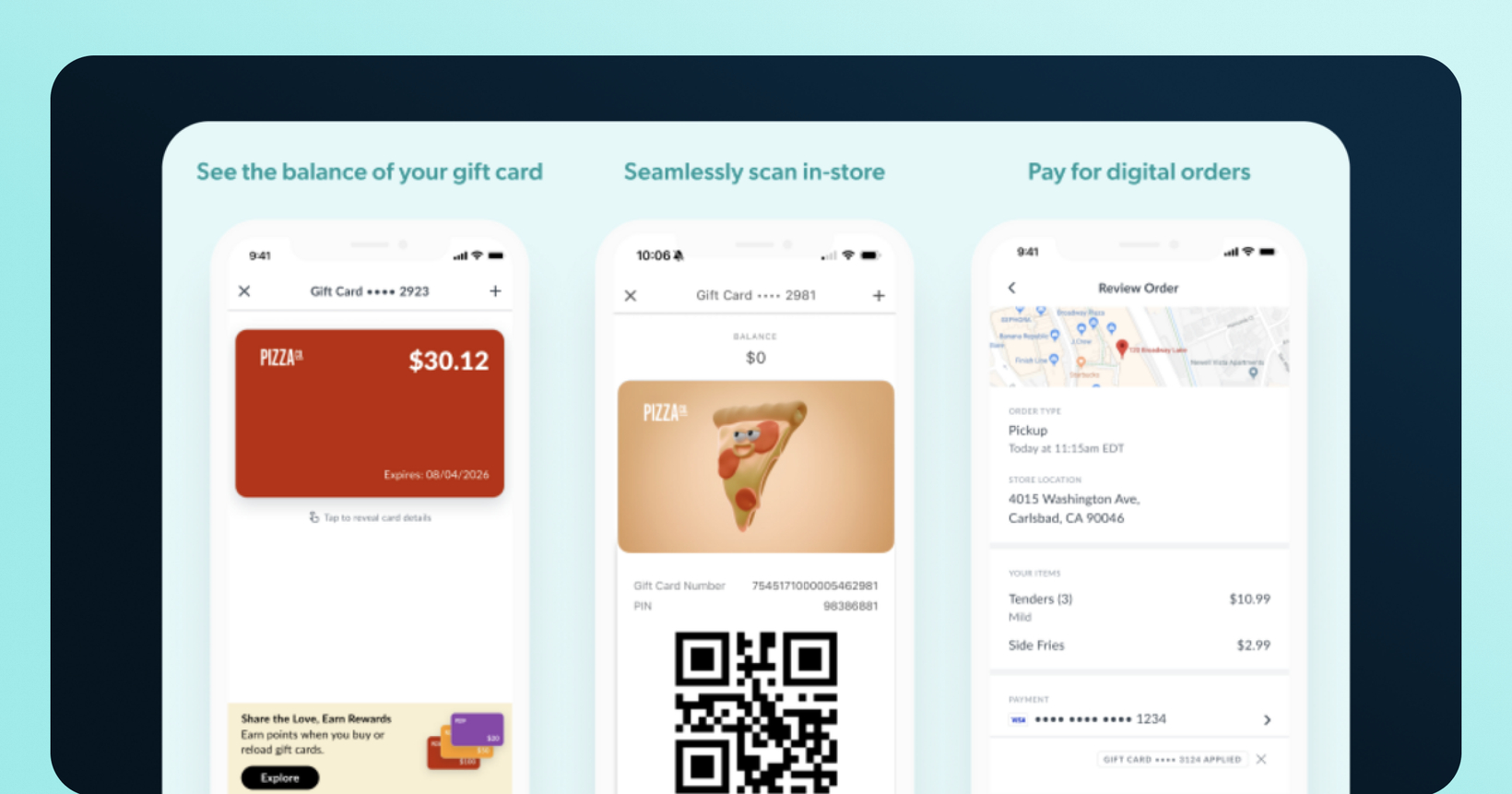
Brands on Olo can now give guests a full in-app gift card experience. Guests may save a card once, check the balance anytime, and have it auto-applied at checkout. Now across all gift card providers Olo supports.
 What is it?
The complete gift card experience is now available in your Thanx-powered app and web ordering for brands on Olo. Guests add a card once and Thanx stores it, shows the balance, and automatically applies it at checkout. No more re-entering card details on every order. A dedicated Gift Cards section gives guests one place to see all their saved cards.
Thanx supports all gift card providers that Olo supports including Givex, Heartland, ItsOnMe, NCR, Paytronix, SVS, Valutec, ValueLink, VantivCore, eCard, and Worldpay.
 Why it matters
No more re-entering card details — Previously, your guests had to key in their gift card on every single order. Now they add it once and it's saved and auto-applied going forward.
Balance visibility they'll appreciate — The Gift Cards section shows each card's balance at a glance. When the cart is empty, the balance also surfaces in the top-right corner of the app as a gentle nudge to order.
Your brand, your look — Upload custom card art and a promotional image that points guests to your gift card purchase page or gifting options.
Multiple cards, one checkout — Guests can save several cards and apply up to 3 to a single order. Handy for guests carrying balances across cards.
 How it works
For your guests:
During checkout (or from the Gift Cards page), a guest enters their card number and PIN to add a card.
The card is saved and auto-applied to their next order (Thanx always applies the oldest card with a balance first).
If a card doesn't cover the full total, the remainder is charged to a saved credit card.
In-store, guests can show the card number and PIN to pay or a barcode/QR code, if you've enabled that setting.
To enable it for your program:
Your gift card provider must be configured with Olo, with a single gift card billing scheme. Your Thanx Customer Success team will configure the connection, validate it end-to-end, and walk you through a test transaction before you go live.
 A few things to know
One gift provider at a time — Only one gift card provider can be active per merchant at a time (a POS-side limitation).
Only one billing scheme is supported on Olo.
In-store scanning and entering the gift card number and PIN as a fallback is available — Tapping on a gift card in app will open a barcode and display a number for easy application in-store. However, this will depend on the specific gift card and POS combination. Some POS may not accept QR codes, and/or there is no way to enter the GC number. If possible, run an in-store test.
In-app gift card sales aren't supported yet — Guests can't buy or reload a gift card in the app. However, you are able to link out to your external purchase page from the Gift Cards section of your app. We highly recommend this if your gift card provider offers an external purchase page for guests to buy or reload a gift card.
New locations — New locations aren't auto-provisioned. Let your Thanx team know when you add locations so they can configure gift card support.
No additional Thanx fee — There's no extra Thanx charge for the integration. Any gift card program costs (processing fees, etc.) are billed by your provider directly.
Points earned on orders — Digital orders purchased with a gift card earn loyalty points on the full order total, regardless of how the guest checks out (credit card only, single gift card, multiple gift cards, or any split payment with a credit card). Earning points for purchasing a gift card is unchanged: because Thanx can't filter by what's purchased, buying a gift card (with a linked card, as a checked-in guest, or as a digital menu item) continues to earn points.
 FAQs
FAQs
Can guests apply more than one gift card to an order?
Yes, up to 3 cards on a single order, auto-applied oldest card (with a balance) first.
What if a gift card doesn't cover the whole order?
Partial payment is supported. The remainder goes to the guest's saved credit card. Note: if a card's balance fully covers the order, it's used in full (guests can't apply just part of it).
Can guests check a balance without ordering?
Yes. The Gift Cards section shows each card's current balance, and it also appears in the top-right corner of the app when the cart is empty.
What happens when a gift card is empty?
Empty cards are automatically hidden at checkout. Guests can remove them from their list, or reload through your existing channels to reuse them.
Can guests use stored gift cards in-store?
Yes, they can display the card number and PIN at the register, and a barcode/QR code if you've enabled that setting (Confirmed for Valutec; for other providers, verify in-store behavior with your POS and gift card provider). Keep in mind, for in-store orders via check-in model, guests earn loyalty points on the full order total paid by a gift card. For brands on the card-linked model, this remains unchanged. Guests do not earn points on any in-store orders paid by a gift card via the card-linked model.
Will guests earn loyalty points on digital orders paid with a gift card?
Gift card orders earn loyalty points on the full order total, regardless of how the guest checks out (credit card only, single gift card, multiple gift cards, or any split payment with a credit card). This applies across integrated ordering providers (Olo, Toast, and any future providers).